wallnut
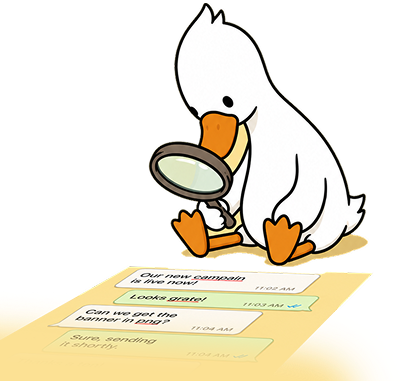
Wallnut mascot, a goose with a magnifying glass

Catch design typos before they ship.

A chat-native proofreader for creative agencies. This deck walks through the problem, the people, and the product system behind Wallnut.

The Problem

Designers export posters as images and send them in WhatsApp. Spell-check tools can’t read those images, so the client often sees the typo first.

01Image copy is invisible. Figma and Docs never see the headline once it’s exported.
02Chat is the real QA surface. The design review happens in the same thread as jokes and briefs.
03The client is already in the room. A missed typo isn’t a private mistake. It’s a sent message.

Early discovery

I spent days in Reddit threads and Discord servers gathering data, then reached out to founders and content leads at creative agencies — informal DMs and calls, not a structured study. Enough to confirm product-market fit: would they actually route proofreading through a chat tool?

What I was trying to learn
  • Where proofreading happens today, and who actually does it
  • What they already pay for that sits next to this job
  • Whether another bot in the group reads as convenient or as clutter
  • What it would take to trust an AI enough to skip a human pass
  • Whether the same pain showed up in public communities — not just in a handful of founder calls
What I heard
  • The last check is whoever is still in the WhatsApp at 7pm — not a dedicated QA seat.
  • Grammarly and Figma never see the export. The typo lives in the PNG.
  • Don’t add noise. Speak when there’s a finding, or say All good. Silence is worse than a miss.
  • Trust is specific: quote the file, name the word, show the fix. “AI detected an issue” gets ignored.
  • Product fit was clear if Wallnut joins the chat they already use — not if it asks for a new workflow.
  • One founder’s graphics were full of Roman Urdu — an edge case I hadn’t considered when I drafted the MVP. Reaching out caught that before I built a checker that only worked in English.

Target Users

Maya RiazDesigner · 26 · 12-person studio

Owns the last mile. Brief lands at 4pm, ten crops have to be in the group chat by 7. She writes headlines in Figma, not in Docs — so nothing ever gets spellchecked.

Goals
  • Ship tonight without opening another app
  • Catch the typo before Omar or the client does
  • Stay in the thread where the work already is
Frustrations
  • Spellcheck dies the moment she hits Export
  • A proofing tool is one more login she will skip
  • The client is often already in the same WhatsApp

Figma · WhatsApp · Google Drive

“If I have to leave the chat to check spelling, I won’t.”

Omar MalikCreative director · 38 · four live accounts

Reviews on his phone between calls. He can judge a layout in a glance. He cannot pixel-read every headline on every size — and he does not want to become the studio spellchecker.

Goals
  • A last pass that doesn’t slow the room
  • Catch the dumb mistakes, not rewrite the copy
  • Keep brand names like “Velo” from getting flagged
Frustrations
  • Forty exports, twelve minutes, one tired pair of eyes
  • Looking picky if he nags about a letter
  • Silence from a bot is worse than a miss

WhatsApp · Slack · Figma (rarely)

“I can see if the layout works. I cannot read every headline.”

Sam ColeAccount / studio ops · 31 · client-facing

The person who gets the 11pm note about “perfomance.” Their name is on the thread. A typo isn’t a design miss to the client — it’s the studio looking sloppy.

Goals
  • Nothing leaves the chat that isn’t client-ready
  • A clear All good before they hit forward
  • No reprint, no apology, no screenshot in the group
Frustrations
  • They find out when the client does
  • No paper trail of what was checked
  • Asking Maya to “just look again” burns trust

WhatsApp · Email · Notion

“The client should never be the one who finds it.”

Creative agencies · independent studios · in-house brand teams

Competitor analysis

Proofreading is a crowded category. Almost none of it is tied to a creative team’s process — export, drop in chat, client already watching.

Grammarly Docs, mail, browser

Best-in-class for typed text. Blind once the headline is flattened into a PNG.

LanguageTool · Hemingway Writers, not artworkers

Paste a paragraph, get a grade. No overlay copy, no crop, no group chat.

Figma spellcheck The working file

Catches text layers in the file. The shipped asset is an image. Spellcheck never leaves with it.

Frame.io · Ziflow · Filestage Review suites

Serious proofing — in another tab, another login. Not the WhatsApp where the file actually moves.

Grammarly Figma Proofing suites Wallnut
Typed / document text Yes In-file
Lives in the design chat No No No Yes
Reads the exported PNG No No If uploaded Yes
Tied to the last-mile process No No New app Yes

The gap is not “better grammar.” It’s a check that happens where the work already is.

Wallnut user journey map

Creative agenciesChat-native proofing · last-mile QA

01Brief
02Design
03Share
04Check
05Ship
Touchpoint

Slack, email, the kickoff call

Figma, Illustrator, the layout file

WhatsApp, Slack, or Microsoft Teams

Wallnut, in the same thread

Client chat / handover

Actions

Read the brief. Split sizes. Start the clock.

Set the headline in the layout. Export the crop.

Drop the PNG in the design group — client may already be there.

Read the finding. Open the file. Fix the word.

Resend. Wait for All good. Forward the file.

Experience

Pressed

In flow

Exposed

Caught, then relief

Clear to send

Pain points

No time for a separate QA round.

Copy lives in the layout. Spellcheck never sees it.

The file is a PNG. The client is already in the room.

Someone has to pixel-read every headline, every size.

A typo in the sent file is public.

Wallnut

No new workflow. Add the bot to the chat they already use.

Stays out of Figma. Checks the export, not the working file.

Reads the image in-thread. No second inbox.

Quotes the file. Names the misspelling. Offers the fix.

All good. Then the client.

System architecture

User
Wallnut site Landing · wa.me link
No — wait
Image message?
Wallnut engine Read image → check copy → write reply
Reply in chat

Slack + Microsoft Teams use the same engine (early access).

Site opens WhatsApp. If an image is sent, Wallnut checks it and replies in the same thread.

Design System

Wallnut goose mark
wallnut
Goose mark · lowercase wordmark
tight tracking, weight 800
Brand yellow#FCE095
Ink#111B21
Accent green#1F8A4C
Deep green#145C38
Sent bubble#E9FFDF
Cream#FFF8E0
wallnut
SF Pro Display / Segoe UI
UI / 600 — Catch design typos before they ship
Body / 500 — Delivering fast shouldn’t come at a cost.
Fallback stack: SF Pro, Segoe UI, Helvetica Neue, Arial, system sans.
  • Radius pills 999px
  • Bubbles 16px / 4px tail
  • Windows 12px
  • Cards 20–28px
  • Wordmark tracking −0.06em
  • Mascot goose + glass

Proofreading Report

WhatsApp upload In reviewApproved

Image · Created Aug 9, 11:46 PM · v1 · wall.nut/r1perf

Re-proofCopy share link
Annotated preview 2 issues · v10 issues · v1
NEW VELO R1 BUILT FOR WHAT’S NEXT. Meet the all-new Velo R1, designed for everyday perfomance.
1 2
80100 / 100
Needs review All good

Clean layout, one misspelling in the overlay. Headline is fine. Subline needs a fix before it ships.

No spelling or copy errors in the overlay. The file is clear to send.

Gemini · Aug 9, 11:46 PM

Approve Request changes Mark published

Issues (2)

Issues (0)

1
Misspelled “perfomance”
MediumTypography
Found in: “everyday perfomance.”

→ performance

2
Inconsistent sentence case
LowTypography
Found in: overlay subline

→ Match the rest of the lockup

No issues on this version.

Approval history

No approvals yet.

Approved · ready to ship.

Building Trust in AI

People ignore generic “AI detected an issue.” They trust a bot that shows its work, stays specific, and knows when to shut up.

01 SHOW YOUR WORKQuote the image.

The team sees which file was checked. No mystery scan of the whole chat.

02 BE SPECIFICName the word, then the fix.

“perfomance → performance” is actionable. “Possible error on slide 3” is not.

03 CLOSE THE LOOPSay All good.

If Wallnut is silent, is it thinking, broken, or skipping? Green removes the doubt.

04 STAY IN THE ROOMNo new app to trust.

The bot sits where the work already is. Adoption is an add-to-group, not a rollout.

05 RESPECT THE BRANDDon’t flag “Velo.”

False positives on names and coined products destroy trust faster than a missed typo.

06 A PERSONA, NOT A MODELThe goose is the interface.

A watchful, slightly fussy proofreader. Helpful, not corporate. Present, not preachy.

Cross-Platform Experience

The finding never changes. The chrome does. Wallnut should feel like a teammate in each chat, not a branded widget pasted on top.

WhatsApp

Live

Green sent bubbles, quote blocks, ticks. The first surface, and the one teams already dump posters into.

Slack

Early access
Wallnut  app
🔴 1 typo found · “perfomance” → “performance”

Flatter, denser, named as an app. Same correction, less bubble, more scanability for studio Slack.

Microsoft Teams

Early access
Wallnut  bot
🔴 1 typo found
“perfomance” → “performance”

Channel posts and bot cards. Purple chrome, named as an app — built for studio Teams, not a consumer bubble.

MVP Scope

The smallest product that catches a typo before the client does — inside the chat that already exists.

In

  • WhatsApp bot, live
  • Image proofing for posters, ads, social crops
  • In-thread report: quote, misspelling, correction
  • Explicit All good state
  • Goose persona and yellow brand site
  • Early-access waitlist for Slack and Microsoft Teams

Out — for now

  • A dashboard, DAM, or second inbox
  • Figma / Illustrator plugins
  • Copywriting, tone, or brand-guideline scoring
  • Team analytics and comment threads
  • Grammar essays and style nitpicks
  • Version compare across exports

Main challenges

Reading type that isn’t text

Headlines sit in overlays, on photos, in tight tracking and stylized fonts. The product is only as good as what it can see.

Not spamming the group

Chat is not a QA tool. Wallnut has to earn every message. One finding, then quiet — or a single All good.

Brand language vs. typos

Coined product names, all-caps lockups, and “wrong” spellings that are intentional. False positives burn trust immediately.

Making AI feel like a teammate

A goose with a magnifying glass beat a generic sparkle icon. Personality is how a bot gets invited back.

Privacy in the group

Campaign files sit next to personal chat. Sending that data outside the team can compromise the whole conversation. Wallnut needs an extra layer of privacy — process in-flight, don’t keep a gallery of the group.

Scale across teams

Every studio is its own tenancy. Multiple teams means isolated backends, not one shared pool of images. More groups also means heavier CPU on vision and copy-check — the server has to keep up without slowing the thread.

Meta’s APIs

The live path is WhatsApp, which means Cloud API, webhooks, image fetch, and whatever Meta allows that week. Tokens and review gates sat between the idea and a bot that could actually reply in the group.

Final Product

The shipped experience is an intro that plays the design-team thread, then a site that does one thing: let you try the bot on WhatsApp or request access for the other rooms.

Projected numbers
Metric Manual With Wallnut Improvement
Proofread 1 graphic 5–10 min 10–30 sec ~90–95% faster
20 assets/day 2–3 hrs 10–30 min 2+ hrs saved
Manual steps 6–8 1–2 ~75% fewer
Feedback response 5–15 min <30 sec ~95% faster
Assets reviewed/day 10–30 30–60+ ~2× capacity
Tool switching 3–5 tools 1 chat ~80% reduction
Chat-native botLives in the group. No second inbox, no new QA tool.
WhatsApp liveDrop a poster. Wallnut replies in the same thread.
Slack + TeamsSame engine, early access — a waitlist, not a second product.
Goose mascotA watchful proofreader, not a generic sparkle icon.
Never miss a typoQuote the file. Name the word. Or say All good.

Closing

Wallnut goose

Never miss a typo again.

Wallnut is a first step against typos in the design chat — a check in the thread, before the file goes to the client.

Try Wallnut on WhatsApp hey@usama.fun
01 / 22
